The Ultimate Guide to Ducking Those Annoying “Bank” Calls

Ever get one of those calls that make your phone scream “SPAM” louder than a can at the grocery store? And then someone on the other end claims they’re from your bank? Yeah, welcome to the club. Here’s a no-nonsense guide on what to do so you don’t get played by the scammer’s game.

First Things First: Keep Your Cool

Imagine you’re in your favourite TV show and just encountered the villain. Now, what’s the hero’s first move? They don’t panic. So, when you get that call and your phone’s shouting, “Warning: Spam,” act like the hero in your story. Remember, your actual bank has your back and doesn’t need to ask for your information over a call. If the caller starts asking for personal details, it’s your cue to hang up. Think of it as hitting the villain with the first plot twist.

The Next Step: Do Some Detective Work

Here’s where you turn into a detective. You’re going to double-check instead of just going along with what the caller says. But here’s the kicker: you don’t use any number they give you. You go straight for the source—the official number from your bank’s website, the back of your bank card, or your bank statements. It’s like checking the credentials of someone who shows up, claiming they’re there to fix your cable.

Spread the Word, but to the Right Ears

Alright, you’ve sniffed out a scam. What next? It’s time to report it to any random Joe and the folks who can do something about it. That means hitting up the Canadian Anti-Fraud Centre. Telling them what happened helps them keep track of these scammers and maybe even stop them. And don’t forget to tell your bank, too. They’ll want to ensure your account is as secure as Fort Knox.

Suit Up: Your Personal Information is Your Armor

Here’s how you make sure your personal information is locked down tight:

  • Be Caller ID’s BFF: That spam alert on your phone? It’s the first line of defence. Keep it on and trust it.
  • Your Information is Your Secret Sauce: Just like you wouldn’t share your secret family recipe with just anyone, don’t share your personal details over the phone.
  • Bank Statements Are Your New Best Read: Check your bank statements as routinely as you check your favourite social media. See something odd? Ring up your bank, stat.
  • Knowledge is Power: The more you know about the latest scams, the harder it is for scammers to trick you. Stay updated.
  • Password Strength = Gym Goals: Treat creating strong, unique passwords for your accounts like hitting your fitness goals. And two-factor authentication? That’s the protein shake that gives your security regime an extra boost.
  • Oops, Did You Slip? Act Fast: Everyone makes mistakes. If you accidentally gave out information, call your bank quicker than you’d call for a pizza. They’ll know what to do.
Putting It All Together

Facing down a scam call can feel like you’re in the final showdown of a movie. But remember, you’re the hero of this story. Trust your instincts—if something feels wrong, it probably is. Keeping your personal information safe, staying informed about scams, and reporting anything fishy isn’t just good for you; it’s suitable for everyone. It’s like being part of a superhero team where everyone’s looking out for each other.

So, What Have We Learned?

After getting through all this, you’re now armed with the know-how to dodge those pesky “bank” spam calls and do it with style. You know how to trust your gut, keep your personal information safe and secure, and report the bad guys. You’ll know what to do next time your phone gives you that spam warning.

Remember, in the grand scheme of things, each of us playing our part makes it more challenging for scammers to succeed. By staying informed, vigilant, and ready to act, we’re not just protecting ourselves but contributing to a safer, scammer-free world for everyone. So, the next time your phone rings with that all-too-familiar spam alert, you’ll be more than ready to take action. After all, knowledge is power, and you, my friend, are now fully charged and ready to go.

References

Photo borrowed from Pexels.com – https://www.pexels.com/photo/worried-freelancer-talking-on-smartphone-and-typing-on-laptop-4132430/

Locking Up Your Digital Life: The Magic of Two-Step Verification

Introduction

Let’s talk about keeping your digital stuff safe, kind of like how you’d lock your front door. Nowadays, we do so much online—chatting with friends, buying stuff, and managing our money. It’s super important to make sure nobody can sneak into our digital house. That’s where two-step verification (also known as two-factor authentication or 2FA) comes in. It’s like adding an extra deadbolt to your door, making it way tougher for anyone who isn’t you to get in. Let me break down why it’s something everyone should use, not just computer wizards.

Why Your Password Isn’t Enough Anymore

So, you’ve got a password. That’s your first lock. But guess what? Passwords can be picked, guessed, or even tricked out of you. Hackers have their ways, and they’re getting sneakier. Once they’ve got your password, they can mess with your stuff, steal your information, and even take your money. Not cool.

Double Down on Your Digital Security

This is where two-step verification flexes its muscles. It asks for something else after your password, something only you can provide. It could be a code that pops up on your phone, or maybe even your fingerprint. It’s like having a second, secret lock that only you know about.

Real Talk: How It Keeps Your Stuff Safe

Let’s say you’re logging into your bank account. You punch in your username and password, but there’s one more step. Your bank sends a code to your phone—the one you told the bank is yours. You must enter this code on the website to get in. That’s two-step verification doing its thing.

If some hacker gets your password, they’re stuck at the next step without your phone. And if you ever get a code without trying to log in, you know someone’s up to no good, and it’s time to change that password. It’s a super effective way to guard your accounts, especially the important ones like your bank.

But is it a hassle?

Some folks worry it’ll make logging in a pain. But honestly, it’s pretty simple. Most of the time, it’s just tapping a button on your phone or typing in a code you got by text. Yeah, it’s an extra step, but it’s like taking a second to double-check that your door is locked—it’s worth it for the peace of mind.

Looking Forward

As we do more and more online, keeping safe is getting even more important. Two-step verification is becoming the go-to way to do just that. It’s an easy step that makes a big difference in protecting yourself from hackers and keeping your private stuff private.

Conclusion

Think of two-step verification as your digital security guard. It’s an easy, effective way to keep bad guys out of your online world. With all the sneaky threats out there, this extra step is a small price to pay for a lot of protection. So, let’s all get on board, keep our digital doors locked tight, and enjoy the internet without worry.

References

Photo borrowed from Pexels.com: https://www.pexels.com/photo/cellphone-and-scanner-2451622/

Strengthening ASP.NET Core Applications: A Comprehensive Guide to Implementing the Latest OWASP Recommendations

In recent years, web security has emerged as a critical concern for developers and businesses alike, necessitating a deep understanding and rigorous application of security practices. The Open Web Application Security Project (OWASP) regularly updates its list of recommendations to help developers fortify their applications against common threats. This essay explores the latest OWASP recommendations, focusing on their relevance and implementation in ASP.NET Core web development.

Introduction

The digital landscape is continually evolving, with web applications becoming increasingly complex and, consequently, more vulnerable to security threats. In response, OWASP, a respected authority in web security, provides a set of guidelines designed to mitigate these risks. ASP.NET Core, a modern, open-source, cross-platform framework for building internet-connected applications, is widely used for web development. By aligning ASP.NET Core development practices with OWASP’s latest recommendations, developers can significantly enhance the security of their applications.

Understanding the Latest OWASP Recommendations

It is crucial to examine the most recent OWASP Top 10 list, which highlights the ten most critical web application security risks. This list serves as a foundation for discussing how these risks apply to ASP.NET Core web development. Each risk is not only a threat but also an opportunity for developers to improve their security posture.

Injection Flaws and ASP.NET Core

Injection flaws, such as SQL, NoSQL, and Command Injection, occur when untrusted data is sent to an interpreter as part of a command or query (OWASP). ASP.NET Core applications are not immune to these flaws, but the framework offers several features to mitigate them. For instance, developers can use Entity Framework Core to access databases, which automatically use parameterized queries, effectively preventing SQL injection attacks.

To address injection flaws in ASP.NET Core, you would typically employ parameterized queries and stored procedures, which are the primary methods to prevent SQL injection. For instance, using Entity Framework Core or Dapper, you can avoid injection flaws by ensuring that any SQL commands you run against the database do not directly incorporate user input. Here’s a syntax example using Entity Framework Core:

// Assume 'context' is your database context and 'UserInput' is a string variable holding user-provided data
var userInput = "user's input";

// Parameterized query using EF Core's Language Integrated Query (LINQ)
var result = context.Users.Where(u => u.Name == userInput).ToList();

// If you need to execute raw SQL commands, use parameterization
var userId = 1;
var user = context.Users
.FromSqlRaw("SELECT * FROM Users WHERE Id = {0}", userId)
.FirstOrDefault();

In this example, Entity Framework Core handles parameterization for you, which means that the userInput and userId are turned into parameters within the generated SQL query. This prevents attackers from being able to inject malicious SQL into your query by altering userInput.

Broken Authentication

ASP.NET Core provides robust authentication mechanisms, including built-in identity support that manages users, passwords, profile data, roles, claims, tokens, and more. However, developers must correctly implement these features to prevent broken authentication. Adhering to OWASP’s recommendations, such as enforcing strong password policies and implementing multi-factor authentication (MFA), can further strengthen authentication in ASP.NET Core applications.

In the implementation for securing an ASP.NET Web API using Microsoft Entra ID (formerly known as Azure AD), you’d typically configure the application to use the Microsoft identity platform. Here’s an outline of the steps involved:

  1. Register the Application with Microsoft Entra ID: Before coding, you need to register your Web API in the Azure portal under the Azure AD service, now Microsoft Entra ID.
  2. Configure the Web API to Use Microsoft Entra ID:
  • Install the necessary libraries for Microsoft Identity Web, which facilitates integrating with Microsoft Entra ID.
  • In your Startup.cs or Program.cs, you’ll configure the middleware to use the authentication with Microsoft Entra ID by providing the relevant instance and tenant IDs, as well as setting up the proper scopes and audience for your Web API.
  1. Protect the API Endpoints:
  • Use the [Authorize] attribute on your controllers or specific actions to protect your API endpoints.
  1. Test the Secured API:
  • Use a tool like Postman or a frontend application registered with Microsoft Entra ID to obtain a token and test the secured API endpoints.

Here is a basic example in code:

public void ConfigureServices(IServiceCollection services)
{
services.AddMicrosoftIdentityWebApiAuthentication(Configuration);

// ... other services
}

public void Configure(IApplicationBuilder app, IWebHostEnvironment env)
{
// ... other middleware

app.UseAuthentication();
app.UseAuthorization();

// ... remaining configurations
}

[Authorize]
[ApiController]
[Route("[controller]")]
public class SecureController : ControllerBase
{
[HttpGet]
public IActionResult Get()
{
return Ok("Secured data");
}
}

In this setup, AddMicrosoftIdentityWebApiAuthentication configures the API to validate the tokens from Microsoft Entra ID. Configuration, such as instance, tenant ID, client ID, and client secret, is typically stored in appsettings.json or through other secure configuration providers. The [Authorize] attribute ensures that the endpoint cannot be accessed without a valid token from Microsoft Entra ID.

Sensitive Data Exposure

Protecting sensitive data, such as financial, healthcare, or personal information, is paramount. ASP.NET Core supports various data protection mechanisms, including encryption, hashing, and secure key management. Following OWASP’s guidelines, developers should ensure that data is encrypted both in transit and at rest, use strong algorithms, and manage keys securely.

To address sensitive data exposure in an ASP.NET Core Web API, you should ensure that sensitive data like passwords, tokens, and personal information is encrypted both in transit and at rest. Here’s a concrete example of securing sensitive data in an ASP.NET Core Web API:

1. Using HTTPS: Configure your application to only serve traffic over HTTPS to ensure that data transmitted between the client and server is encrypted.

public void ConfigureServices(IServiceCollection services)
{
services.AddHsts(options =>
{
options.Preload = true;
options.IncludeSubDomains = true;
options.MaxAge = TimeSpan.FromDays(365);
});
}

public void Configure(IApplicationBuilder app, IWebHostEnvironment env)
{
app.UseHttpsRedirection(); // Redirect all HTTP requests to HTTPS
// ... other middleware
}

2. Storing Secrets: Never store secrets in your source code. Use the secret management tools provided by ASP.NET Core:

// In your Controller or Service
public class MyService
{
private readonly string _mySecret;

public MyService(IConfiguration configuration)
{
_mySecret = configuration["MySecret"]; // MySecret is stored securely
}
// Use _mySecret as needed
}

3. Data Protection API: Encrypt sensitive information that needs to be stored using the Data Protection API.

public class EncryptService
{
private readonly IDataProtector _protector;

public EncryptService(IDataProtectionProvider provider)
{
_protector = provider.CreateProtector("myPurpose");
}

public string EncryptData(string input)
{
return _protector.Protect(input);
}

public string DecryptData(string encryptedData)
{
return _protector.Unprotect(encryptedData);
}
}

4. Database Encryption: Use Entity Framework Core with a database that supports encryption, such as SQL Server’s Transparent Data Encryption (TDE), to protect data at rest.

These steps, along with regular security audits and adhering to best practices, can significantly reduce the risk of sensitive data exposure in your Web API.

XML External Entities (XXE)

XXE attacks can occur when XML input containing a reference to an external entity is processed by a weakly configured XML parser. ASP.NET Core applications that use XML should disable XML external entity processing in their XML parsers and use less complex data formats like JSON, where possible.

To mitigate XML External Entity (XXE) vulnerabilities in an ASP.NET Core application, you can disable DTD processing in the XmlReaderSettings and ensure that any XML parsing libraries you use are configured to prevent XXE attacks. Here’s an implementation example for ASP.NET Core:

public class XmlService
{
public XmlDocument LoadSafeXmlDocument(string xml)
{
XmlDocument xmlDoc = new XmlDocument();
xmlDoc.XmlResolver = null; // Disabling XML resolver prevents XXE attacks

XmlReaderSettings settings = new XmlReaderSettings
{
DtdProcessing = DtdProcessing.Prohibit, // Prohibit DTD processing
XmlResolver = null // This ensures that external resources are not loaded
};

using (XmlReader reader = XmlReader.Create(new StringReader(xml), settings))
{
xmlDoc.Load(reader);
}

return xmlDoc;
}
}

This service class provides a method LoadSafeXmlDocument that takes an XML string, disables any XML resolver to prevent XXE attacks, and prohibits DTD processing, which is another common attack vector. The XmlDocument is then loaded using a secure XmlReader instance configured with these settings. This approach ensures that the XML data is processed without fetching any external entities or processing DTDs, which effectively mitigates the risk of XXE attacks.

Broken Access Control

Restricting users to only what they are permitted to do is crucial for application security. ASP.NET Core’s policy-based authorization model enables fine-grained control over access to resources. Implementing the principle of least privilege and regularly reviewing access control policies in line with OWASP’s recommendations can help prevent unauthorized access.

Security Misconfiguration

Security misconfiguration can happen at any level of an ASP.NET Core application, from incorrect server settings to unnecessary services running. Developers should follow security best practices for configuration, ensure software is up to date, and use tools like the Microsoft Security Code Analysis package to detect misconfigurations.

Cross-Site Scripting (XSS)

XSS attacks enable attackers to inject malicious scripts into web pages viewed by other users. ASP.NET Core mitigates XSS by encoding data before it is output to views. However, developers should also follow OWASP guidelines, such as validating and sanitizing all input, to further reduce XSS vulnerabilities.

Insecure Deserialization

Insecure deserialization can lead to remote code execution or other attacks. ASP.NET Core developers should avoid deserializing data from untrusted sources and implement integrity checks, such as digital signatures on serialized objects.

Using Components with Known Vulnerabilities

ASP.NET Core applications often depend on libraries and frameworks that may contain vulnerabilities. Developers should keep all components updated and use tools like the .NET Core CLI’s vulnerability assessment feature to identify and mitigate known vulnerabilities.

Insufficient Logging and Monitoring

Insufficient logging and monitoring can prevent the timely detection of security breaches. ASP.NET Core supports logging through Microsoft.Extensions.Logging, which can be configured to log detailed information about access and errors. Integrating real-time monitoring and alerting mechanisms can further enhance security posture.

Conclusion

Incorporating OWASP’s latest recommendations into ASP.NET Core web development practices is essential for building secure web applications. By understanding and addressing the top security risks identified by OWASP, developers can protect their applications from common vulnerabilities. Continuous education, adherence to security best practices, and leveraging ASP.NET Core’s security features are key to developing robust, secure web applications.

References

OWASP Proactive Controls Mapped To Top Ten Vulnerabilities – OWASP. https://wiki.owasp.org/index.php?title=OWASP_Proactive_Controls_Mapped_To_Top_Ten_Vulnerabilities&oldid=188013


Dodging the Hooks: Guarding Against Email and Text Phishing Scams

Hey there! Let’s talk about something that’s been buzzing around a lot these days: phishing scams. You’ve probably heard about it, maybe in the news, a friend’s story, or perhaps, unfortunately, through your own experience. Scammers are getting crafty, sending fake messages pretending to be from reliable sources like the Canada Revenue Agency (CRA), and it’s getting tricky to tell the real from the rip-off. So, let’s break down some solid ways to protect ourselves from these phishing hooks that come through emails and texts.

Understanding Phishing: The Basics

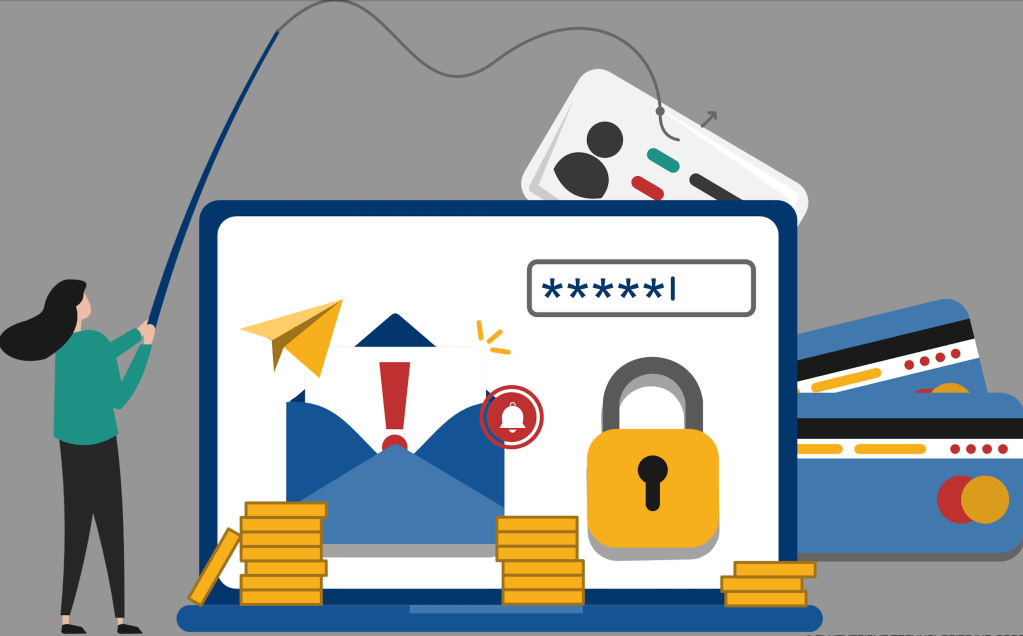
Phishing is like fishing, but instead of looking for a good catch of fish, scammers are fishing for your personal info. They’ll send you an email or text that looks pretty convincing, claiming to be from someone you trust—banks, government agencies, even your workplace. The goal? To trick you into giving away your personal details like passwords, Social Insurance Numbers, or banking information.

Email Phishing: Sorting the Real from the Fake

When an email plops into your inbox claiming you owe money to the CRA or that you’re getting a refund, take a pause. The CRA’s got a pretty strict way of doing things, and they won’t ask for personal info through email. Here are some things to keep an eye on:

  • Check the sender’s email address: It might look legit at first glance, but often, if you hover over the sender’s name (without clicking!), you’ll see a weird email that doesn’t match the organization they’re pretending to be.
  • Spelling and grammar: Official emails from the CRA or any professional organization are polished. If you spot typos or incorrect grammar, it’s a red flag.
  • Urgency and threats: Scammers love to make you panic, saying you’ll get fined or arrested if you don’t act fast. The CRA doesn’t operate like a bully; they have processes and won’t threaten you out of the blue.

Links and attachments: Never click links or download attachments from emails you did not anticipate.

  •  These can lead to fake websites or download harmful software onto your device.

Text Message Phishing: Keep a Skeptical Eye

Text scams, or ‘smishing’, work a lot like email phishing. You’ll get a text from a number claiming there’s a problem or a benefit awaiting you, with a link asking you to verify your information. Remember:

  • The CRA won’t send you a link via text. That’s just not how they roll. They do send texts sometimes, but never with links.
  • Shortened URLs: If you see a shortened link, that’s a classic smishing move. Legit organizations usually have no reason to hide their web addresses.

Protecting Yourself: The Anti-Phishing Game Plan

  • Personal information is personal. Just don’t share it unless you’re 100% sure of who you’re sharing it with and why they need it.
  • Verify independently: If an email or text makes you anxious or excited about money, take a breath. Call the CRA or the organization directly using a number you find on their official website, not the one in the suspicious message.
  • Update and protect: Keep your devices updated with the latest security. Use strong, unique passwords for your accounts, and consider using a password manager.
  • Stay informed: The CRA and other organizations often post alerts about known scams. Keeping up with these can give you a heads-up on what to look out for.

Conclusion: You’ve Got the Power

Phishing scams can be a bit scary, but knowledge is power. Now that you know what to watch for and how to handle suspicious messages, you’re way ahead of the scammers. Keep your wits about you, and remember, when in doubt, check it out – directly with the source. Stay safe out there, and let’s keep our personal info just that – personal.

Navigating the Digital Rapids: Managing the Risks of Our Online Odyssey

Digital transformation has swept the business landscape like a whirlwind of bits and bytes, turning paper trails into data streams and face-to-face meetings into video calls. Yet, as we leap headlong into this brave new world, we increasingly face many digital risks that could turn our cyber utopia into a veritable minefield.

Let’s face it, the more we depend on digital processes, the more we stand to lose when things go haywire. Cybersecurity breaches are the headline-grabbing specters of the digital age. It’s not just the big corporations with their vaults of data at risk anymore. With its online inventory system, Joe’s Corner Shop could be just as tasty a target for a hacker as a multinational bank. That’s because, in the digital realm, everyone’s connected—which means a single chink in the armor can compromise the whole chain.

Then there’s the issue of privacy. Remember those loyalty cards supermarkets love to hand out? Well, they’re a goldmine of personal data, and when everything’s digitized, the potential for misuse is as vast as the internet itself. In the wrong hands, this information can be used to siphon money, steal identities, or even manipulate political elections. It’s not just about keeping your digital doors locked; it’s about knowing who has the keys in the first place.

Data isn’t the only thing at risk. Consider our newfound addiction to social media. It’s where we share our moments, voice our opinions, and sometimes unleash our rants. The downside? It’s a Pandora’s box of misinformation, cyberbullying, and echo chambers that can skew public discourse and amplify societal divisions.

Let’s not forget how digital transformation has changed the job market. Automation and AI are fabulous when they’re whipping up reports in seconds that would take humans days to compile. But where do those humans go when software bots take their cubicles? It’s the double-edged sword of efficiency cutting a swathe through traditional employment.

But hold on, it’s not all doom and gloom. We can tackle these digital risks head-on with some common sense and cyber smarts. It starts with education. Learning about the risks and how to prevent them is half the battle. Then there’s legislation. Governments are waking up to the need for robust cyber laws that protect individuals and businesses alike.

Big and small businesses are also upping their game, investing in cybersecurity measures like firewalls and encryption, and drilling their staff on the dos and don’ts of the digital world. And as for us, the users? It’s on us to be vigilant, to think before we click, and to be aware of what we’re sharing and whom we’re sharing it with.

In conclusion, digital transformation isn’t just a tech upgrade; it’s a shift in our societal fabric that carries significant risks. By staying informed and proactive, we can reap the benefits of the digital age while keeping the monsters at bay. It’s not about fearing the future; it’s about being ready for it. After all, in the digital world, the best offense is a good defense.

Checkout Smarts: Staying One Step Ahead of Hackers at the Self-Service

Imagine this: You’re standing at the self-service checkout, scanning your groceries after a hectic day. It’s just you, a machine, and a silent wish that everything goes swiftly so you can hit the couch at home. But, while you’re swiping your card and tapping your PIN, there’s a chance someone might be looking over your digital shoulder. Yes, I’m talking about hackers—those invisible bandits of the cyber world.

Before you start thinking about returning to the old pencil-and-paper days, let me assure you that there are ways to protect yourself from these modern-day pickpockets while enjoying the convenience of self-service checkouts.

First, let’s talk about the art of the ‘shoulder surf.’ That’s when someone tries to peek at your PIN as you type it in. The solution? Shield that keypad with your other hand. It’s like playing defense in basketball but with your bank account on the line.

Next, keep an eye out for anything odd about the machine. If the card slot wiggles or looks like it has an extra piece attached, it could be a ‘skimmer’. These sneaky devices steal your card info when you swipe. If something feels off, trust your gut and tell an employee—or better yet, choose another checkout.

Now, about your PIN. You know how you’re not supposed to use ‘1234’ or your birthday? That’s because easy-to-guess PINs are like leaving your front door open with a bright ‘Welcome’ sign to hackers. Get creative, mix it up, and please don’t write it down and keep it in your wallet!

Then there’s the issue of Wi-Fi. The self-service checkout probably doesn’t need you to connect to Wi-Fi, but your smartphone might be on it. Public Wi-Fi can be a hacker’s playground. So, when you’re about to pay, maybe give your phone a break—turn off that Wi-Fi and save the browsing for a secured network at home.

What about those loyalty apps and emails with coupons you scan at checkout? Be sure those are from reliable sources. Sometimes, hackers disguise themselves in a cloak of discounts to lure you into giving away personal info. If an offer looks too good to be true, it probably is.

And hey, after you’re done with the checkout dance, take a moment to check your receipt. Ensure all charges look correct, and keep those receipts in case you need to prove a purchase later. Better safe than sorry!

In summary, protecting yourself from hackers at the self-service checkout is about staying alert, being a bit skeptical, and taking a few extra seconds for safety. Keep your PIN a secret, watch for skimmers, be smart with your smartphone, trust your instincts about deals, and always review your receipt. It’s a little bit of effort for a whole lot of peace of mind. So next time you hear the beep of each item being scanned, remember: You’re not just checking out your groceries; you’re also checking out safely.

The Peacekeeper’s Playbook: Handling Workplace Spats Like a Pro

Let’s face it: we’ve all been there. You’re chugging along in your workday, the coffee’s kicking in, and out of nowhere, you’re stuck in the middle of a conflict faster than you can say “Monday morning.” Now, whether it’s a clash over the communal fridge’s last yogurt or a full-on debate about project strategies, handling conflicts at work can feel as tricky as walking a tightrope over a pool of hungry sharks. But fear not, my fellow colleague, because navigating these choppy waters is a skill just like any other — and I’m here to give you the life jacket you need.

Edit(2026-04-04): Conflict Resolution Image (Gemini-generated Image)

Understanding the Root of All Troubles

Conflict is like an iceberg; what you see is often only a tiny part of the real issue. So, the first step in our peacekeeping mission is to play detective. Are Alex and Sam arguing over the report because of a missed deadline, or is there an underlying power struggle at play? A little empathy and some Sherlock Holmes-level observation can go a long way in understanding the true heart of the matter.

Communication: The Golden Key

Once you’ve sniffed out the real problem, it’s time to talk it out. And no, I don’t mean a shouting match. I’m talking about the kind of conversation where everyone gets a fair turn at the mic. Active listening is the name of the game here. You listen, you nod, you reflect, and most importantly, you understand. It’s about giving a platform for grievances to be aired without the fear of judgment. Think of it as a ‘safe space’ where words are the bridge over troubled water.

Keep Your Cool Like the Office Fridge

Staying calm is your superpower. Emotions can run high, but your job is to keep yours on the down-low. The moment you lose your cool, you might as well be throwing fuel on the fire. So, take a deep breath, channel your inner Zen master, and remember that patience is what separates the wise from the merely stressed.

Solution Station: All Aboard!

Every conflict needs a resolution like every key needs a lock. Once everyone’s had their say, it’s time to brainstorm solutions. Get creative, think outside the box, and encourage suggestions. It’s not about winning or losing; it’s about finding a common ground where everyone’s a bit of a winner. And sometimes, a fresh perspective can be the ticket to peace-town.

Fair Play, Fair Day

In the land of conflict resolution, fairness reigns supreme. This isn’t the time for playing favorites or settling old scores. It’s about being as impartial as a judge on a talent show. Ensure that everyone involved knows that the final solution is about what’s best for the team and the task at hand, not personal agendas.

Follow-Up: The Sequel No One Asked For But Everyone Needs

Alright, you’ve found a solution, and the seas are calm again. Job done, right? Not quite. Just like any good movie sequel, a follow-up is key to making sure the peace sticks. Check in with the parties involved after a while. Is the solution still working? Does anyone want to renegotiate terms? Think of it as the after-sales service of conflict management.

Prevention: The Conflict Vaccine

The best conflict is the one that never happens. Encouraging open communication, team-building activities, and regular check-ins can help prevent misunderstandings from turning into full-blown disputes. It’s about fostering an environment where respect is the foundation, and issues can be addressed long before they become problems.

When to Call in the Cavalry

Sometimes, a conflict is too big for one person to handle. That’s when you need to bring in the professionals — HR, higher-ups, or even mediators. There’s no shame in it. It’s about recognizing when a problem is above your pay grade and having the wisdom to ask for help.

Taking Care of Numero Uno

Dealing with conflict can be draining, so don’t forget to take care of yourself, too. Find time to decompress, talk to someone if it’s weighing you down, and make sure that playing the mediator isn’t meddling with your own peace of mind.

The Bottom Line

Managing conflicts as a worker isn’t about being the hero; it’s about being the healer. It’s not the most glamorous job, but it’s one that can make or break the workplace harmony. Remember that at the end of the day, we’re all just people trying to do our jobs the best we can. A bit of understanding, a dash of communication, and a sprinkle of patience are what it takes to handle workplace spats like a pro.

There you have it, the insider’s guide to being the peacemaker in the workplace. Next time conflict comes knocking at your cubicle, you’ll be ready to answer with a playbook that turns tension into an opportunity for growth and collaboration. Embracing these challenges as chances to strengthen team bonds and enhance communication can transform the workplace atmosphere. Instead of dreading conflict, view it as a puzzle to be solved collectively, where each solution builds a stronger, more cohesive team.

By adopting a mindset of curiosity, openness, and respect, we can shift the narrative around workplace conflicts from one of stress and division to one of learning and unity. Conflict, then, becomes not just a hurdle to be overcome, but a valuable teacher guiding us towards better understanding our colleagues and refining our own communication skills.

In conclusion, becoming a mediator in your workplace doesn’t require special powers, just a commitment to understanding, patience, and empathy. Remember, it’s not about silencing disagreements but navigating them constructively. As we grow in our ability to manage conflicts, we not only improve our professional environment but also prepare ourselves for the complex interplay of relationships outside the office walls. So, the next time you find yourself in the midst of a workplace spat, take a deep breath, recall the Peacekeeper’s Playbook, and step confidently into your role as a pro at handling conflict. With practice, patience, and persistence, we can all contribute to a more harmonious and productive workplace.

Cultural Reflections and Global Interactions: An Intercultural Self-Assessment

Introduction

Intercultural communication is the exchange between individuals from diverse cultural backgrounds. In this essay, I’ll conduct an introspective intercultural assessment using the Lewis Model, examine the implications of globalization on personal experiences, and discuss my approach to conflict resolution.

Lewis Model

My cultural classification, according to the Lewis Model, is ‘linear-active’. This categorization suggests a preference for direct communication, organized behavior, individual achievement, and a balanced approach to work and life:

  • Direct Communication – I value clear, explicit dialogue that is fact-based and logically structured, with a penchant for precise language that avoids ambiguity.
  • Behavioral Traits – Efficiency, organization, and goal orientation are traits I embody. I believe that preparation and punctuality are essential, and I appreciate structured meetings and professional protocols.
  • Individualism – I emphasize personal responsibility and success. The decision-making process tends to be task-oriented with a clear hierarchy, and I prefer autonomous work with ownership over my responsibilities.
  • Work-Life Balance – There’s a distinct separation between professional duties and personal life, with a focus on task-oriented productivity during work hours.

In my experience with international corporations, I’ve honed these attributes, which I find crucial for the timely completion of projects. However, it’s important to recognize that in a multicultural setting, varied cultural types can lead to differing approaches, sometimes resulting in project inefficiencies. To mitigate this, many companies have established standardized procedures, such as the Scrum methodology in agile software development, which emphasizes iterative processes and direct stakeholder communication to bolster success rates.

Globalization

The concept of globalization, while ancient in origin, has been revolutionized by information technology. Globalization has expanded my access to international products and services, allowed for the utilization of advanced technologies, and diversified my cultural experiences. It has also afforded me the opportunity to pursue an online master’s degree from a U.S. institution and gain employment with a U.S.-based company. Despite these benefits, globalization presents challenges, including cultural homogenization and increased job market competition. Additionally, it facilitates the rapid transmission of diseases, as evidenced by the COVID-19 pandemic. Globalization has reshaped my communication methods and work interactions through advanced telecommunication tools, necessitating an understanding of various cultural backgrounds to prevent miscommunication and conflict.

Conflict Resolution

My approach to conflict resolution is best described as ‘compromise’. I strive for mutual concessions to achieve agreement. This pragmatic method often results in expedient solutions. Nonetheless, Lazier (2017) notes that compromising may not satisfy all parties and could lead to settling for suboptimal outcomes instead of addressing core issues. While compromise can preserve relationships, it may not always be appropriate, particularly when ethical principles or regulatory constraints are at stake. Transparent cooperation and joint problem-solving are often more effective, as advocated by Shonk (2013).

Conclusion

Understanding cultural types is instrumental in facilitating effective cross-cultural communication and fostering positive collaborations with people from diverse backgrounds. Globalization brings substantial advantages but also poses significant challenges. Employing appropriate conflict resolution techniques is crucial for creating a harmonious and cooperative environment.

References

Between Principles and Practice: Exploring Ethical Decision-Making

Introduction

The common belief that personal ethics stem solely from one’s upbringing is not entirely accurate. As we mature, our ethical framework is also significantly sculpted by our experiences in educational institutions, religious and community involvement, and business environments. This paper will delve into four distinct cases that present ethical dilemmas, providing a comprehensive analysis of each.

Do We Lie or Not About Our Work Progress?

Project delays in business are commonplace, often due to misaligned priorities, a lack of project comprehension, or underestimation of the required efforts. When confronted with an impending delay, it is our duty to notify our superiors, allowing them to make informed decisions and take appropriate actions. If the project is not time-critical and can be postponed without disrupting organizational processes, a deadline extension may be granted. Conversely, for time-sensitive projects, additional resources are typically deployed to meet the deadline. Honesty in these situations not only upholds integrity but also allows for necessary assistance to ensure project completion.

Artificial Intelligence (AI)-Generated Assignments

The advancement of technology has brought us to a point where AI can craft the content of papers or theses. However, the ethical question arises when students submit AI-generated work as their own. Such dependence on AI impedes our learning and critical thinking development. Moreover, it brings the authenticity and factual accuracy of the paper into question. Educational institutions, like MacEwan University, view the submission of AI-generated assignments as plagiarism. As a result, creating papers through AI is deemed unethical, potentially diminishing the value of one’s academic credentials and may lead to severe academic repercussions.

Cheating on Licensing Exams

Licensing exams are regulatory requirements for professionals and skilled workers to demonstrate their competency. The thought of someone who cheated on such an exam practicing their profession, like an aircraft mechanic repairing a plane, is alarming. If there is evidence of cheating, it is incumbent upon us to report it, as it may constitute a legal infraction.

Character Reference

We all may have engaged in regrettable actions during our youth, but time can change a person. When considering a character reference for someone with a history of misconduct, it is essential to engage in a candid conversation to assess their current character. If an old friend’s values and behavior have not evolved, it would be irresponsible to vouch for them. Providing a character reference is a grave responsibility, and a misjudgment could jeopardize our reputation and employment.

Conclusion

Ethical decision-making is influenced by our upbringing, life experiences, and comprehension of legal standards. When faced with ethical dilemmas, particularly in the workplace, we must contemplate the ramifications of our actions and lean towards caution to mitigate exposure to professional, legal, and ethical conflicts.

References

Fowler, G. (2023, August 14). How to prove your innocence after a false positive from Turnitin. The Washington Post. Retrieved from https://www.washingtonpost.com/technology/2023/08/14/prove-false-positive-ai-detection-turnitin-gptzero/

Enhancing Cybersecurity through Strategic Threat Modeling in the Software Development Lifecycle

In the digital age, where cyber threats continuously evolve, the need for robust cybersecurity measures within the software development process has never been more critical. Threat modelling emerges as a proactive approach to anticipate cyber-attacks, identifying and mitigating potential risks and security vulnerabilities before they can be exploited. While integrating threat modelling into DevOps processes poses challenges, its inclusion in the Software Development Lifecycle (SDLC) is paramount for minimizing, if not altogether eliminating, the security risks inherent in software development. This approach involves breaking down threat scenarios into manageable components to swiftly pinpoint security vulnerabilities, assess their risks, and determine the necessity and form of countermeasures.

Security Models: A Comprehensive Framework for Threat Analysis

The Open Web Application Security Project (OWASP) outlines a structured approach to threat modelling, comprising elements such as the subject model, vulnerability assumptions, potential threats, planned countermeasures, model validation, and verification against possible threats (Drake, V., 2021). This structured framework is vital for accumulating intelligence on potential cyber threats, enabling organizations to prepare and respond more effectively.

Threat Modeling Tools: Sharpening the Defensive Edge

In recent years, sophisticated threat modelling tools or attack frameworks have been developed to enhance organizational defense mechanisms. The MITRE ATT&CK Framework, Lockheed Martin’s Kill Chain, and the Diamond Model of Intrusion Analysis are among these. These tools facilitate a deeper understanding of adversarial behavior, allowing for the developing of more nuanced and effective defensive strategies.

Integrating Security into the SDLC: A Paradigm Shift

Historically, security considerations have been peripheral to the SDLC, typically addressed only during testing phases. However, as cyber adversaries grow increasingly skilled at exploiting vulnerabilities, it’s clear that application security must become a central element of the SDLC. This means embedding security considerations into every phase of development, from design and coding to testing and deployment, necessitating a cultural shift within DevOps teams who may perceive these measures as obstacles to rapid software deployment.

SDLC Risk Modeling Instruments: Enhancing Security Posture

In addition to general threat modelling tools, instruments are tailored explicitly for SDLC integration. The National Institute of Science and Technology (NIST) introduced the Secure Software Development Framework (SSDF) on April 23, 2020, offering a set of secure software development practices adaptable to each phase of the SDLC. Similarly, Microsoft’s Security Development Lifecycle (SDL) provides development teams with methodologies for writing secure code, featuring an accessible threat modelling application that visualizes threat models in standard notation.

In conclusion, integrating threat modelling into the SDLC represents a critical strategy for preempting and mitigating cyber threats in software development. Organizations can significantly enhance their cybersecurity posture by employing comprehensive security models and leveraging advanced threat modelling tools. This proactive approach not only safeguards against potential vulnerabilities but also embeds a culture of security within the development process, ensuring that applications are functional, efficient, and secure by design.

Reference

Drake, V. (2021, August 16). Threat Modeling. OWASP. https://owasp.org/www-community/Threat_Modeling